
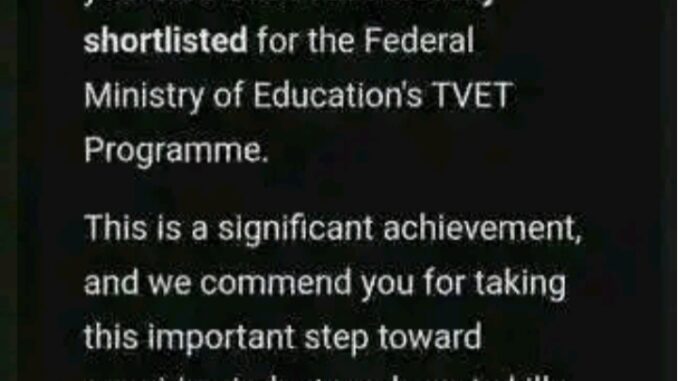
Check TVET Second Batch 2026 Shortlisted Candidates
The Federal Ministry of Education has started shortlisting candidates for the second batch of 2026 Technical and Vocational Education and Training (TVET) programme. This is specifically for thousands of applicants whose status previously showed “Pending.”
The Ministry has confirmed tha candidates with pending applications can now log in to their dashboard, check their status, if approved select their training centre, and prepare to begin their training. The TVET programme is designed to equip young Nigerians with technical and vocational skills to improve employment opportunities and support entrepreneurship.
If you applied for this program, we have provided everything you need to know about the TVET shortlist, how to check your status, select your training centre, and complete your registration.
TVET Shortlist 2026: Second Batch Approval Ongoing
The approval for the 2026 TVET program is currently ongoing and is in batches. Applicants are advised to check their email inbox and TVET dashboard time to time for latest update concerning their selection status.
Successful applicants are receiving an email notification confirming their selection. The email congratulates candidates inform them they have been successfully shortlisted for the programme and they should login to their profiles for further instructions.
Being shortlisted means you have passed the screening stage and now eligible to begin the training.
Applicants who are still having “Pending” status should remain calm and patient as more approvals are coming gradually. Approval are being done based on the availability of space in the training center.
How to Check Your TVET Shortlist Status
How to Check your TVET Shortlist Status
You can confirm your selection status by logging to TVET portal and follow these steps:
1. Visit the TVET portal:
https://www.tvet.education.gov.ng/login
2. Enter your phone number as your username starting with +234….
3. Enter your password
4. Click Login
5. Your dashboard will display your current status. pending/approved
Your status may show:
- Shortlisted
- Pending
- Not Selected
If shortlisted, you will see instructions to select your training centre.
How to Select Your TVET Training Centre
Selection of training center comes next after confirming your approval. Candidates are advised to select a centre closest to them for convenience.
Steps to select your training centre:
- Open the shortlist email you received.
- Click on “Select Training Centre”
- Log in to your dashboard
- View the list of available training centres.
- Click on “Select This Option” for your preferred centre.
- Click on “Confirm Selection”
- Your training centre selection will be updated immediately.
Download and Print Your TVET ID Card
Shortlisted candidates must download and print their TVET ID card from their dashboard.
This ID card is required for physical verification at the training centre.
How to download your ID card:
- Log in to your TVET dashboard
- Go to the Resources Section
- Download your ID card
- Print the ID card
- Attach your passport photograph
- Bring this ID card along when reporting to your training centre.
Physical Verification and Registration Requirements
Shortlisted candidates must download and print their TVET ID card from their dashboard which is to be presented for physical verification at the training centre.
How to download your ID card:
- Log in to your TVET dashboard
- Go to the Resources Section
- Download your ID card
- Print the ID card
- Attach your passport photograph
Bring this ID card along when reporting to your training centre.
Physical Verification and Registration Requirements
You are report to your assigned training centre for physical verification and registration. This is an important stage for onboarding into the program.
Required documents are:
- Printed TVET ID card
- Passport photograph
- Personal means of identification (NIN).
Your failure to report for verification may result in:
- Disqualification
- Cancellation of your application
- Reassignment of your placement to another applicant.
Upload Your Photograph for Profile Verification
After selecting your training centre, candidates are required to upload a clear photograph on their dashboard.
This photograph will be used for identity verification.
Make sure your photo is:
- Clear
- Recent
- Corporate
Uploading your photo is compulsory for completing your registration.
Can You Accept or Reject Your TVET Placement?
Yes, shortlisted candidates have the option to accept or reject their training centre placement. However, accepting your placement is necessary to participate in the programme.
Rejecting the placement may result in losing your training opportunity.
What to Do If Your TVET Status Still Shows Pending
If your status still shows “Pending,” do not panic.
The selection process is still ongoing, and more candidates would be shortlisted in batches.
Applicants are advised to:
- Check their email regularly
- Log in to their dashboard regularly.
How to Reset Your TVET Login Password
If you cannot log in due to a forgotten password, follow these steps:
- Go to the TVET login page
- Click on Forgot Password
- Enter your registered email address
- Check your email
- Follow the instructions
- Create a new password
- You will then be able to log in successfully.
Benefits of the Federal Government TVET Programme
1. Practical Skills Training
2. Employment Opportunities
3. Entrepreneurship Opportunities
4. Career Development
READ ALSO: Apply for GHWFI Imo State Female Students Empowerment Program 2026
Be the first to comment